
In the latest Open edX release, Palm, the ORA (Open Response Assessment) tool has been upgraded to provide a better grading experience for course instructors.
What has changed?
In this new on-platform grading experience, one can assign rubric values, provide comments, and coordinate grading with all members of the course teams. Additionally, graders can easily preview common file types, including:
- Images (gif, png, jpeg)
- Plain-text (with monotype fonts and line feeds intact)
- .txt tabular data (.csv files will not preview)
- PDFs, including multi-page PDFs with page selection
From the ORA grading interface, instructors can select multiple submissions and click the “View” button to enter a grading mode for those submissions:
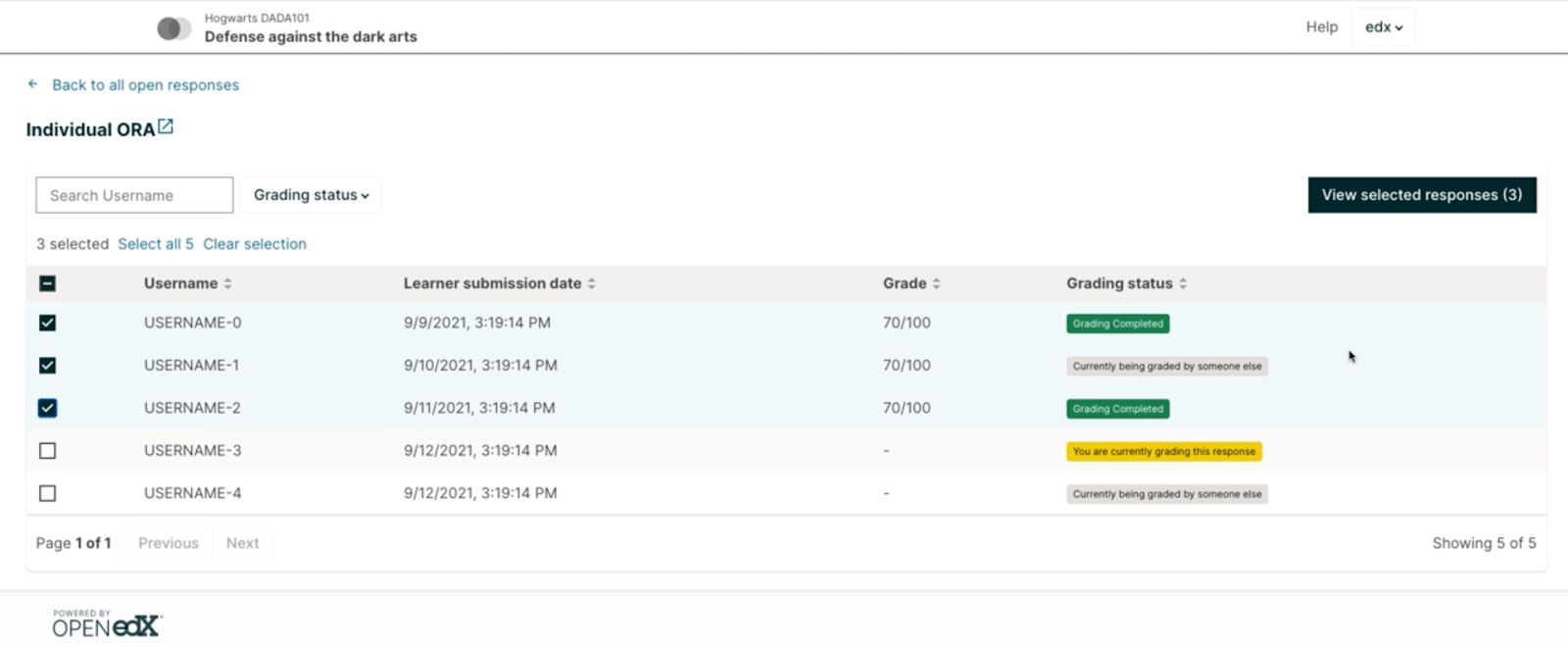
In the grading mode, there are four things to note:
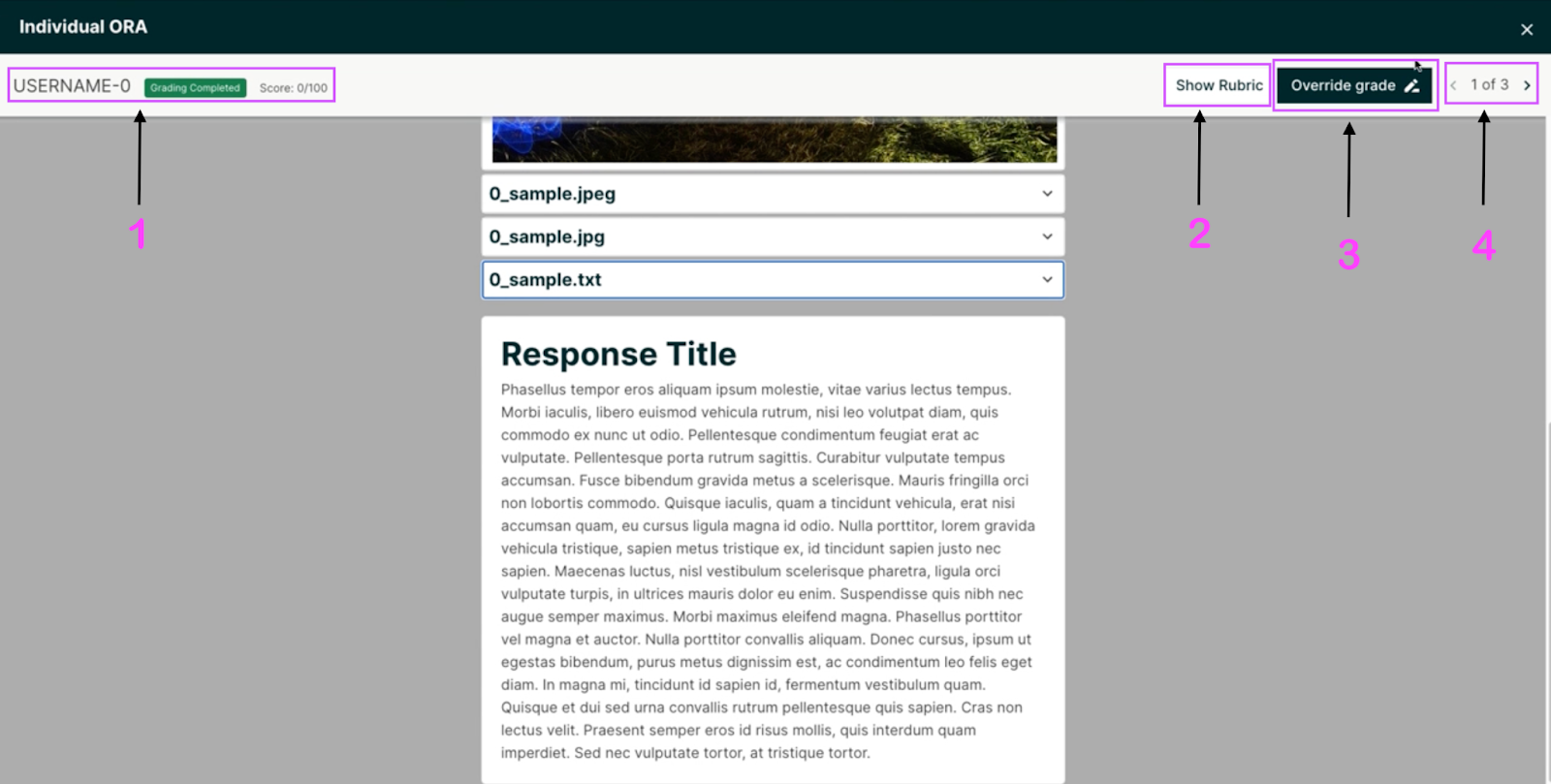
- This is a display of a learner’s username, the status of their submission (for example, “Grading Complete” or “Currently being graded by someone else”), and their current score.
- “Show Rubric” is a button that, when clicked, displays the rubric on the right hand side of the learner’s submission:
- When “Override Grade” is selected, the above rubric display becomes editable. Grade line items and comments can be changed.
The score information is not saved until pressing the submit button. This means you can score a response, move on to another, and then go back to the first response and change the grade again – all without pushing scores to the LMS for persistence. - The page selector allows course staff to navigate through the submissions.


Pay attention to the fact that Grade Override is a permanent action; it cannot be undone. Course staff are given a prompt before entering Grade Override mode to make sure that is understood.

Where can I go for more information?
For more information about how this feature works, see the Staff Grading for Open Response Assignments documentation.
How can I get this?
The ORA improvements are available as of the Open edX Palm release. Upgrading your local installation to Palm will guarantee that your system is up-to-date with the latest features, including the ORA Grading MFE (Micro-Front End). To turn on the feature, add the feature flag openresponseassessment.enhanced_staff_grader.

@arbrandes Would you be able to provide a video demo or 1:1 walkthrough of ORA grading and Gradebook (or refer me to someone who can)? I am about to start working on a design incorporating these features, but my devteam has not yet had the chance to upgrade to Palm. I’d love to see both this and Gradebook in action so I can gracefully extend the existing capabilities!