
We’re excited to announce the release Version 2 of the AI-powered Open edX Course Creator powered by Blend-ed. Whether you’re an educator, instructional designer, or an L&D professional, this tool empowers you to rapidly create engaging and interactive courses within minutes.
Why the AI Course Creator?
Many L&D professionals aim to become strategic learning architects—focusing on impactful learning experiences aligned closely with business objectives. However, routine tasks like content creation and outlining courses often consume valuable strategic thinking time.
That’s why we’ve developed the AI Course Creator. This tool isn’t about replacing roles; it’s about enhancing and augmenting your capabilities, allowing you more time for strategic tasks like learner analysis, stakeholder consultation, and innovative instructional design.
How Does It Work?
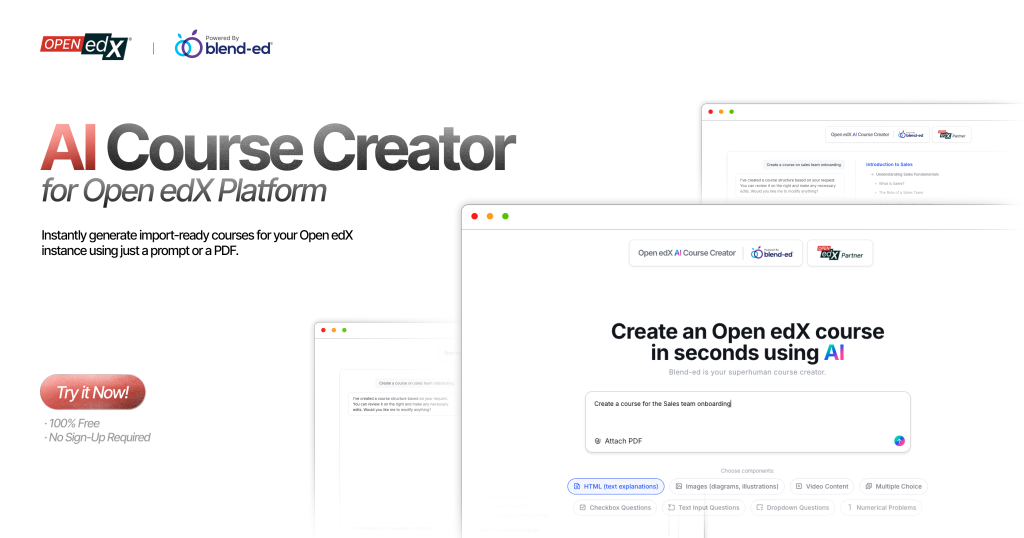
It’s a powerful yet intuitive tool that allows anyone to generate comprehensive Open edX courses in minutes. Simply provide a prompt, upload relevant documents, and let the AI do the initial heavy lifting.
Start with a topic
Begin by entering the topic of your course. For example: ‘Data Privacy & Security for New Employees at ABC Corporation’. This sets the foundation for the AI.
- Upload Documents:
Upload one or multiple documents—handbooks, case studies, FAQs, or any reference material. The AI now pulls insights from all files together, making courses more contextual and accurate
- Set audience and duration:
Specify the target audience (e.g., ‘new hires at ABC Corporation’) and expected duration (e.g., ‘2 hours’). This ensures examples, depth, and pacing match your learners
- Pick Components & Generate
Select the types of content you need:
- HTML Content: Clear, concise textual explanations.
- Assessments: Choose from MCQs, checkbox questions, text inputs, drop-down selections, numerical inputs.
- Images: Relevant images are automatically created and placed within the content.
- Videos: The AI can source relevant public videos (e.g., from YouTube) or pull from your connected video library. (Future integrations could even allow for AI-generated video content via tools like Synthesia).
- Interactive Course Outline:
In seconds, the AI produces a structured outline (e.g., why privacy matters, handling customer data, phishing scenarios). With v2, you can drag and rearrange units, rename or delete sections, or prompt edits like:
– ‘Add two more phishing examples’
– ‘Make this course strictly follow the uploaded documents.’
The AI updates instantly.
- Preview Before Download
Once satisfied, click Approve to see a quick preview of the course. This gives you a sense of structure before finalizing. The full interactive version comes alive once imported into Open edX.
- Export & Import Seamlessly:
Once you’re satisfied, the AI Course Creator packages everything into a standard .tar.gz file (typically taking up to 6 minutes to complete the course creation).
Simply download it and upload it directly to your Open edX instance. From there, you can use the familiar Open edX Studio for any further fine-tuning or updates.
By leveraging AI for foundational course-building tasks, you reclaim critical hours to dedicate towards strategic, high-value activities. Imagine swiftly moving from concept to delivery, without getting stuck in the initial creation phase.
Recall those long hours outlining courses or searching endlessly for visuals? With the AI Course Creator, your workflow becomes streamlined, efficient, and more creatively fulfilling.
Just the Beginning:
This tool marks one significant step towards our broader vision of enhancing learning ecosystem with AI. We’ll be launching AI-powered tools for Open edX platform, featuring advanced capabilities including:
1. AI Tutoring integrated seamlessly with Slack or MS Teams.
2. Adaptive AI powered Learning paths tailored to learner interactions.
3. AI agents for admin tasks.
And soon, the AI Course Creator will also be available as a plugin inside Open edX Studio – no external downloads required.
Try the updated AI Course Creator. Share your feedback – it’s exactly how we built v2, and how we’ll keep pushing it forward.
